Overview
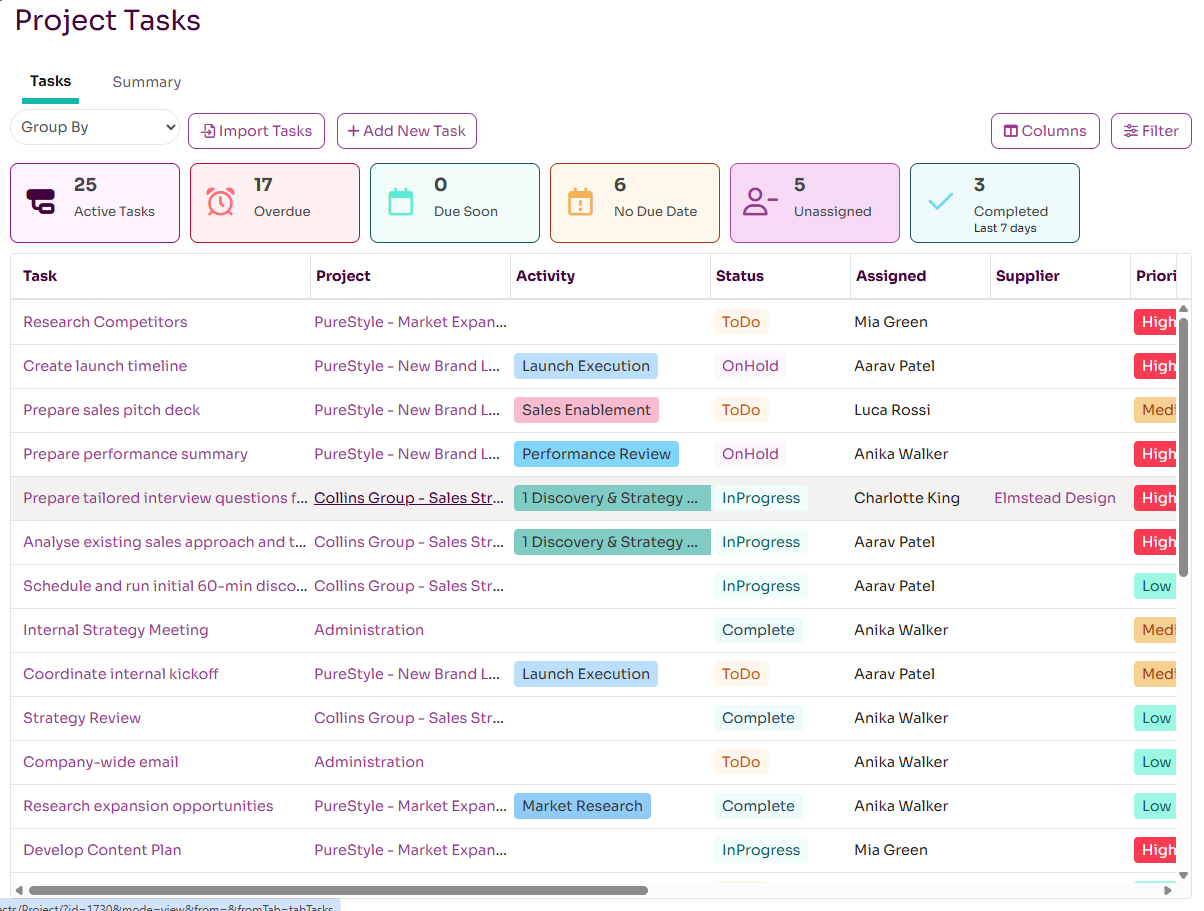
Project Tasks can be managed and viewed in various places within Workup: one the Project page, My Status and Team Status pages and the Resource page. The new Tasks page however now allows you see all current tasks across your entire organisation. You can filter and group the list of tasks.
View Tasks
The Tasks page will be default list all open tasks across the organisation. You can then filter this list of tasks by Due Date and Priority and also via a wildcard search. You can also group the list of tasks by Project, Assignee, Activity, Due Date and Priority.
Viewing and Updating Tasks
You can click on a task title to open it and edit if you have permission. You can change any property of the task except for the project it is associated with.
You also have access to the bulk edit capability that allows you to bulk edit tasks, save to a template and mark as complete.
Creating and Importing Tasks
You can add a task to any project you have access to via the Add New Task button. As a minimum you need to select a project and give the task a title. You can also set a due date, assign the task to someone and add subtasks.
It is also possible to import tasks from this page by pressing the Import Tasks button. You can first download an Excel template to which you can add tasks. In the same dialog you can then upload this Excel file to cfreate the tasks within Workup. The import process will validate the data within the spreadsheet and warn you if there are errors.
Task Summary
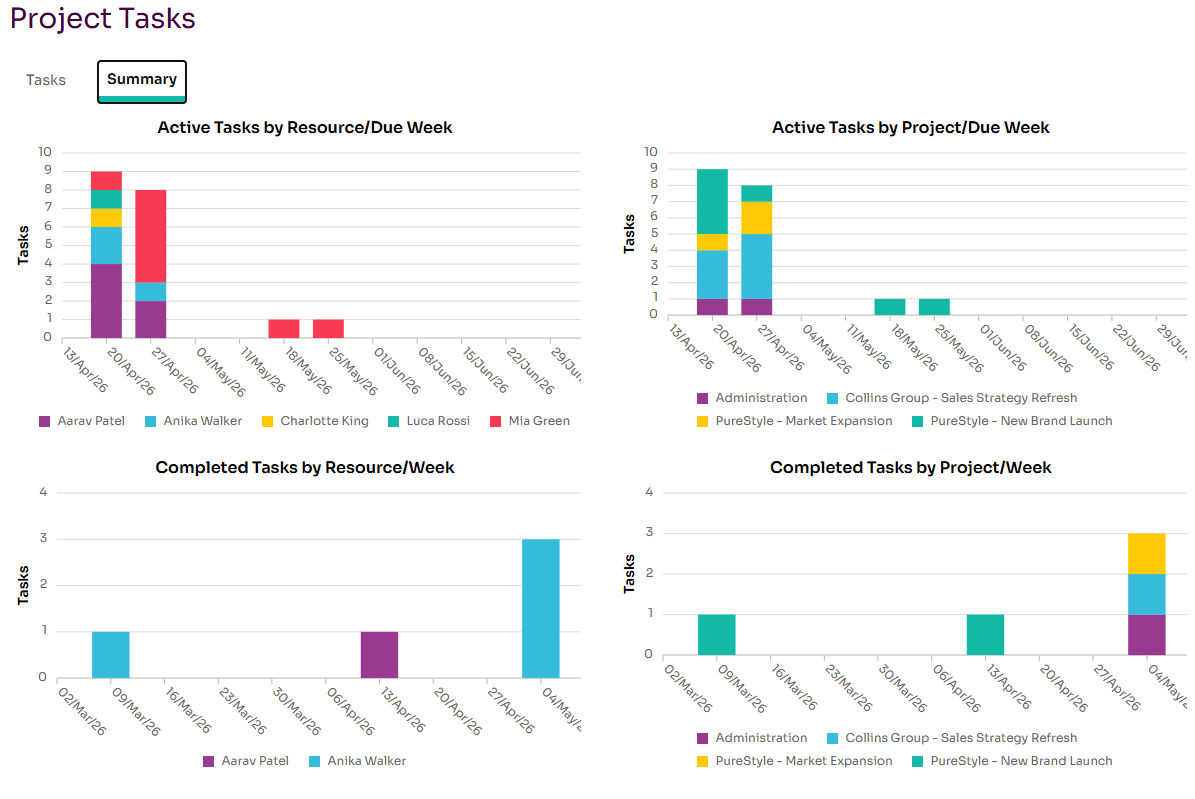
The Tasks page also has a summary tab that shows charts aggregating active and completed tasks by project and resource per week.