Overview
One of the key features of Workup is the management of your team's schedule. Schedules are linked to a resource and a project and can be viewed in a number of places including the Project page, My Status and Team Status. The new Schedules page now allows you to see the schedule across your whole organisation.
Organisation Schedule
The new Projects-Schedule page shows the schedule for all resources in one place. You can filter the list of resources by Department and Business Roles. The schedule can be shown as weekly or monthly view and you can scrol thru the weeks. The schedule entries are coloured by project. You can click on a schedule entry to view (or edit if you have access) the schedule record.
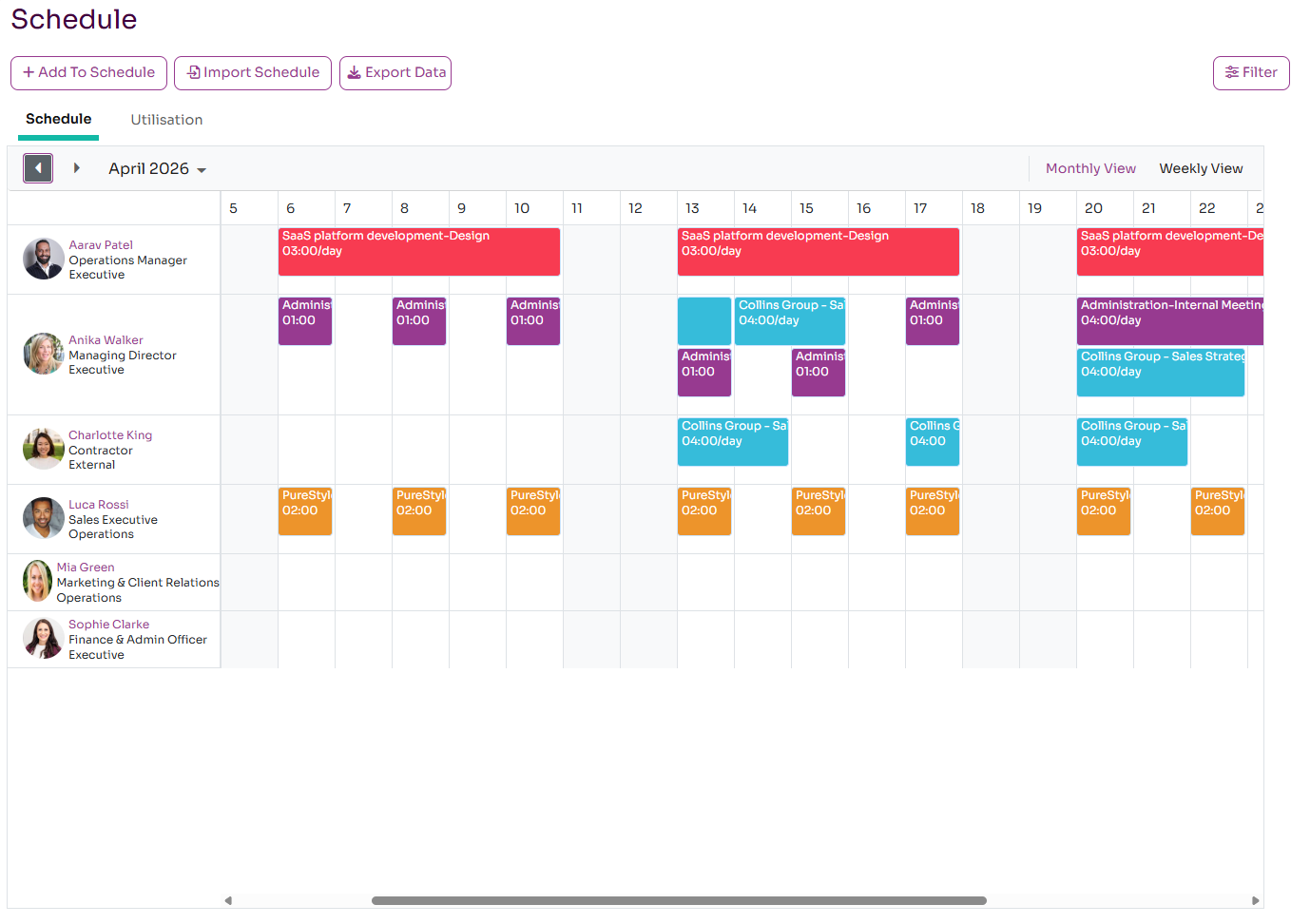
The schedule can be viewed on a monthly or weekly basis.
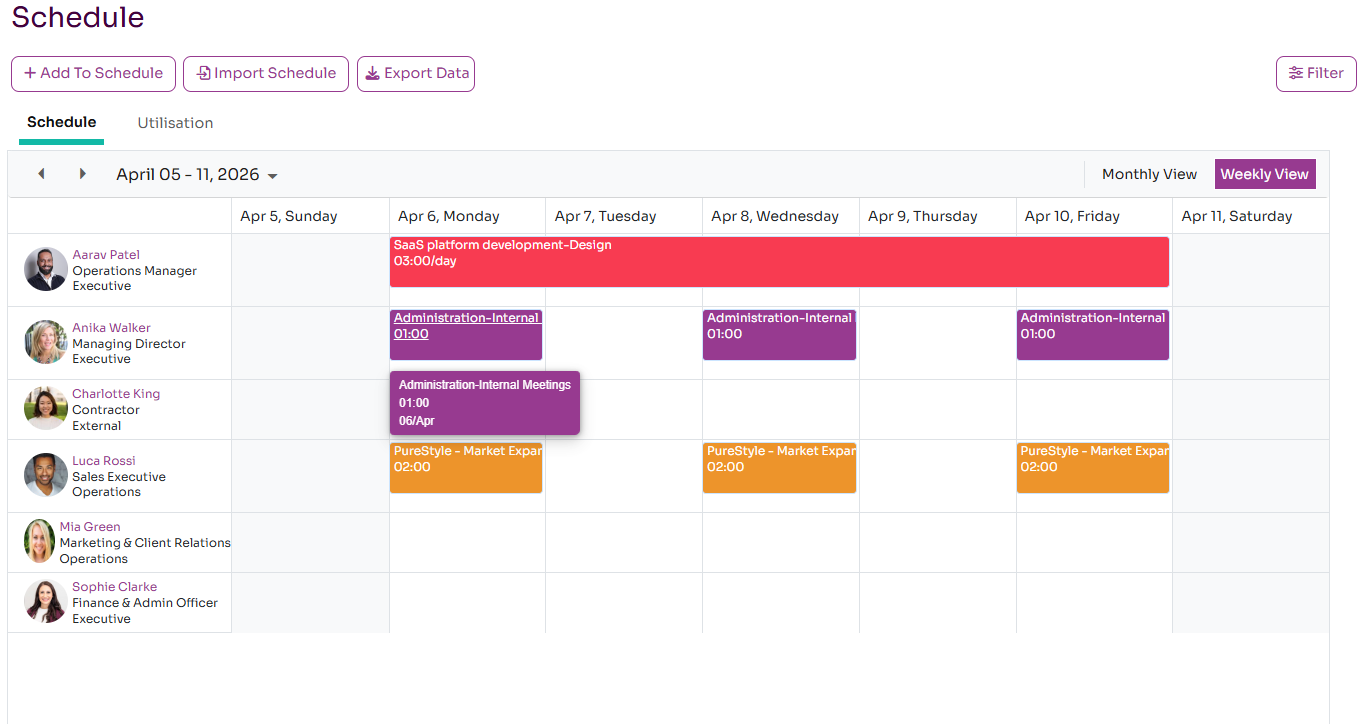
You can also add new records to the schedule by clicking the Add to Schedule button.
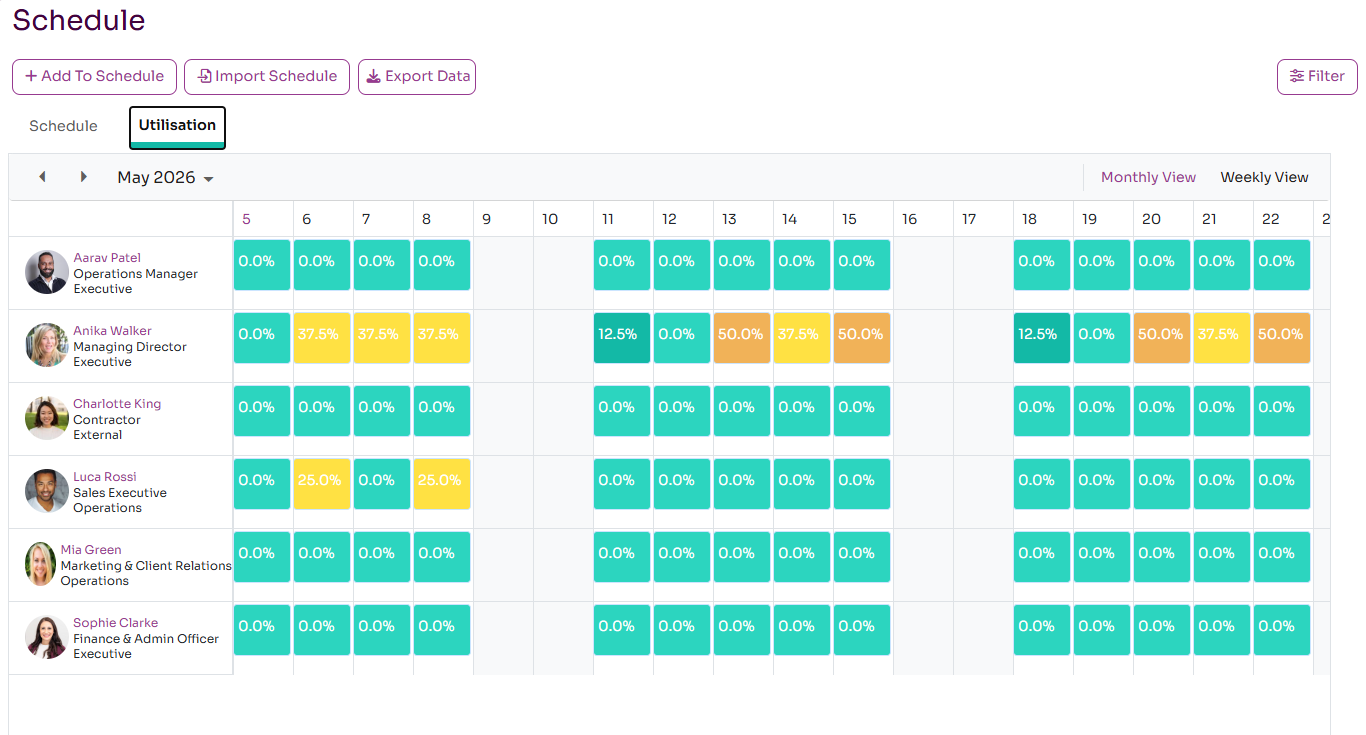
Organisation Utilisation
On the same Project-Schedules page you can also see the utilisation of all the resources across your organisation. You can filter the list of resources by Department and Business Role. The page will show the percentage utilsation of each resource based on the hours per day default of the organisation. It is possible to over-schedule resource and these will be highlighted in a dark red.